> ## Documentation Index
> Fetch the complete documentation index at: https://docs.nexiohost.in/llms.txt
> Use this file to discover all available pages before exploring further.
# Game Panel Password Reset
> How to reset your NexioHost game panel password from the Client Area.
# Game Panel Password Reset
If you can't log in to the game panel, you can reset your panel password directly from the Client Area — no email required.
***
## How to Reset
Head to [billing.nexiohost.in](https://billing.nexiohost.in) and sign in to your account.
In the left sidebar, click **Account**, then select **Security**.
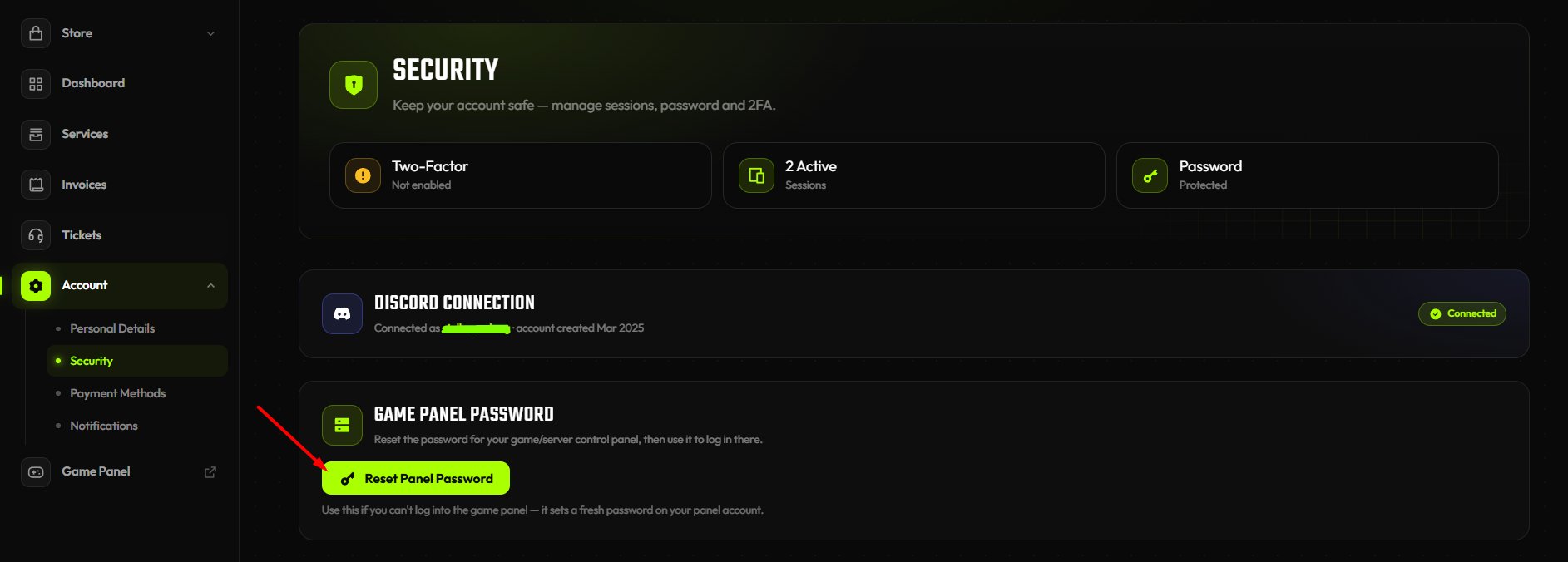
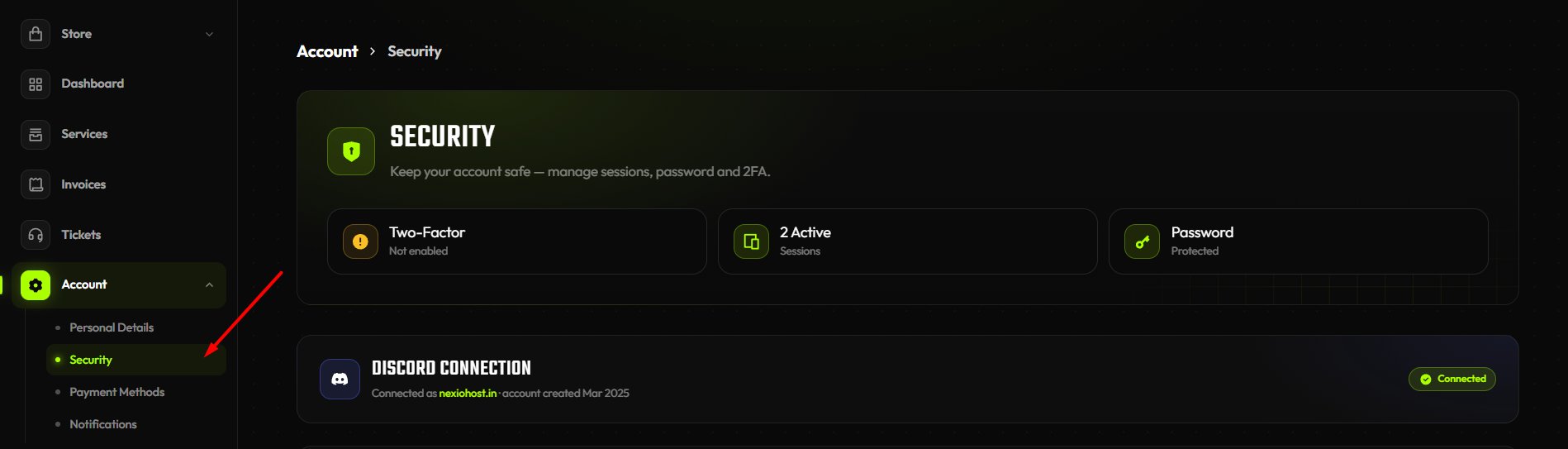 Find the **Game Panel Password** section at the bottom of the page.
Click the **Reset Panel Password** button. A fresh password is set on your panel account instantly.
Find the **Game Panel Password** section at the bottom of the page.
Click the **Reset Panel Password** button. A fresh password is set on your panel account instantly.
 Log in to the game panel using your email and the newly generated password.
The reset sets a new password on your panel account immediately. Use it to log in to the game panel right away.
***
## How to Change Your Panel Password
If you're already logged in to the game panel and want to update your password:
In the game panel sidebar, click **Account**.
Enter your **Current Password**, then your **New Password**, and confirm it in the **Confirm New Password** field.
Log in to the game panel using your email and the newly generated password.
The reset sets a new password on your panel account immediately. Use it to log in to the game panel right away.
***
## How to Change Your Panel Password
If you're already logged in to the game panel and want to update your password:
In the game panel sidebar, click **Account**.
Enter your **Current Password**, then your **New Password**, and confirm it in the **Confirm New Password** field.
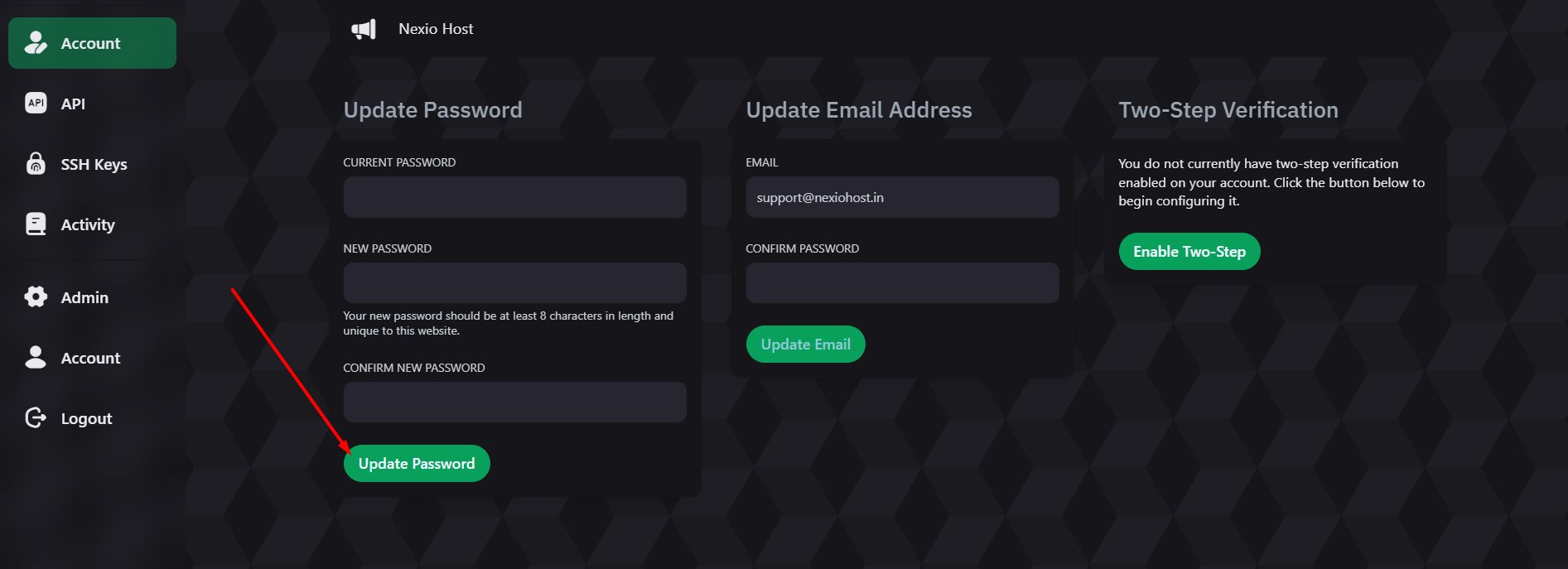 Your new password must be at least **8 characters** long and unique to this website.
Hit the **Update Password** button. Your password is updated immediately.
***
## Still Can't Access Your Panel?
If you're still having trouble after resetting, open a support ticket on our Discord.
A team member will help you regain access to your panel.
Your new password must be at least **8 characters** long and unique to this website.
Hit the **Update Password** button. Your password is updated immediately.
***
## Still Can't Access Your Panel?
If you're still having trouble after resetting, open a support ticket on our Discord.
A team member will help you regain access to your panel.