

Billing & Account
All billing and account management is handled through the NexioHost Client Area.Go to Client Area
Manage your plans, invoices, and payments at billing.nexiohost.in
Viewing Invoices
- Log in to the Client Area.
- Go to Billing → Invoices.
- Click any invoice to view or download it as a PDF.
Payment Methods
We accept the following payment methods:- Credit & Debit Cards (Visa, Mastercard, American Express)
- PayPal
- UPI
- Cryptocurrency (Bitcoin, Ethereum, USDT)
Upgrading or Downgrading
- Go to Services in the Client Area.
- Click on your hosting service.
- Select Upgrade/Downgrade.
- Choose your new plan and confirm.
Cancellations
Cancelling a Service
- Go to Services and select the service you want to cancel.
- Click Request Cancellation.
- Choose Immediate or End of Billing Period.
- Submit your cancellation request.
Updating Account Details
- Log in to the Client Area.
- Click your name in the top-right → Edit Account Details.
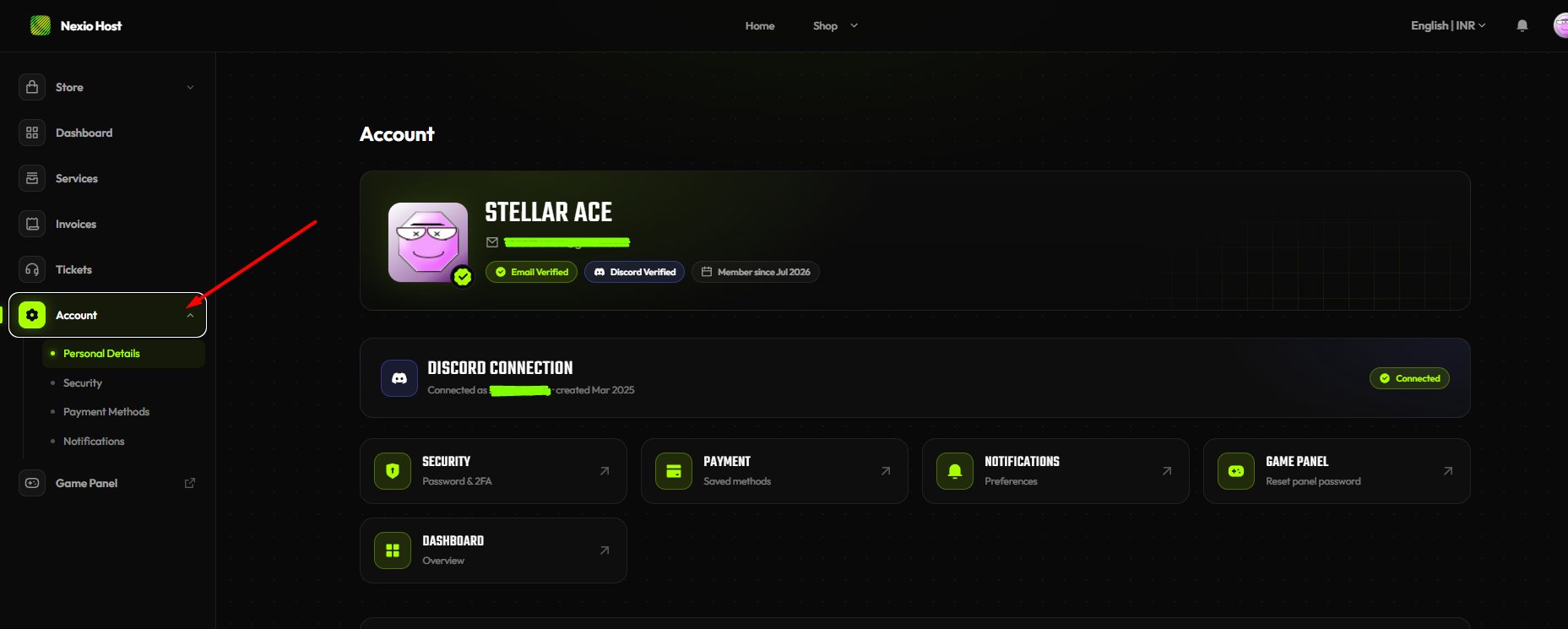
- Update your name, email, or other details.
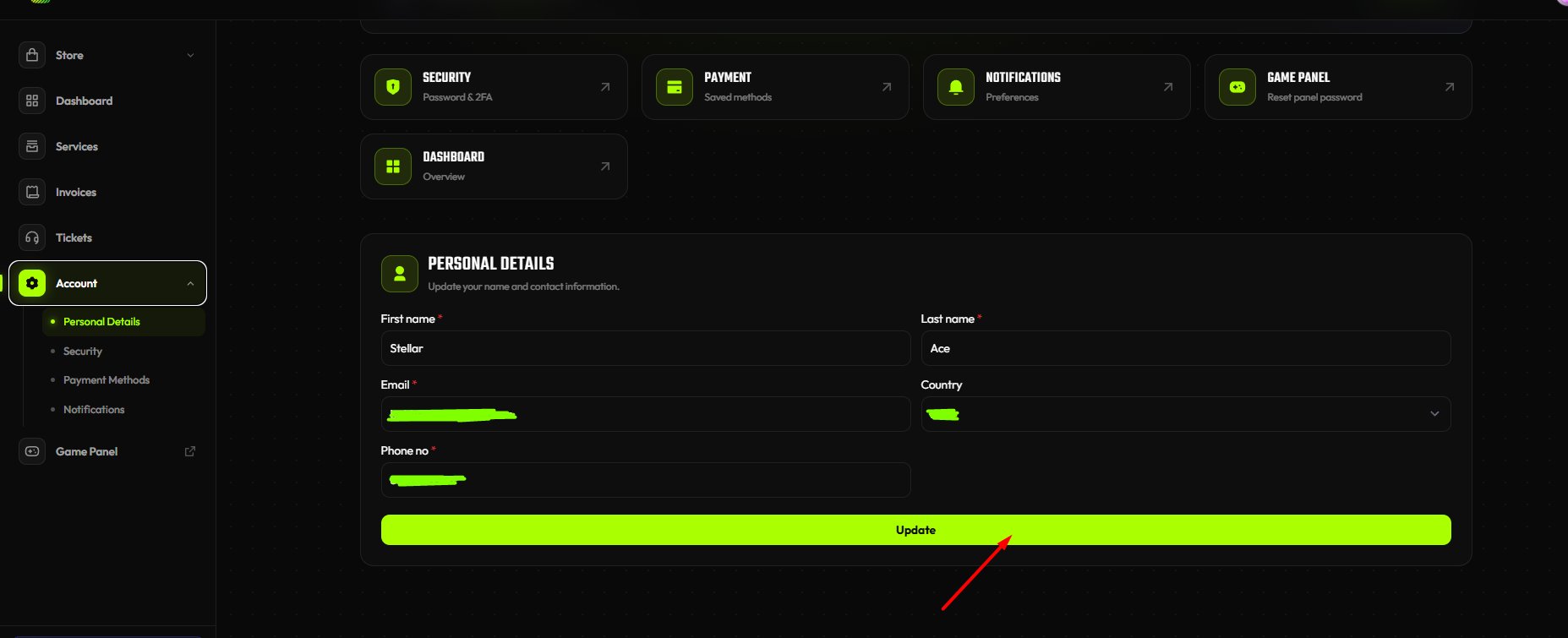
- Click Update.
Changing Your Password
- In the Client Area, go to Account → Security Settings.
- Enter your current password and your new password.
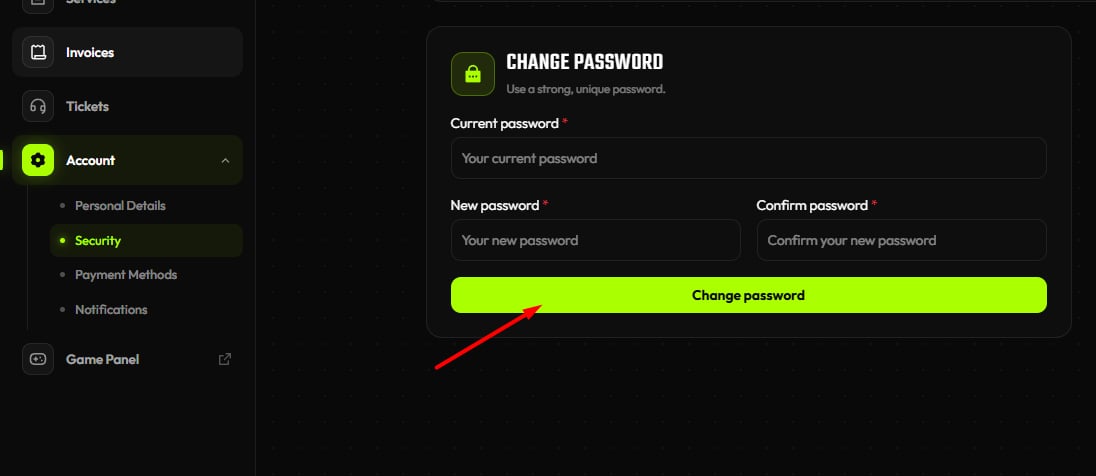
- Click Change Password.
Two-Factor Authentication (2FA)
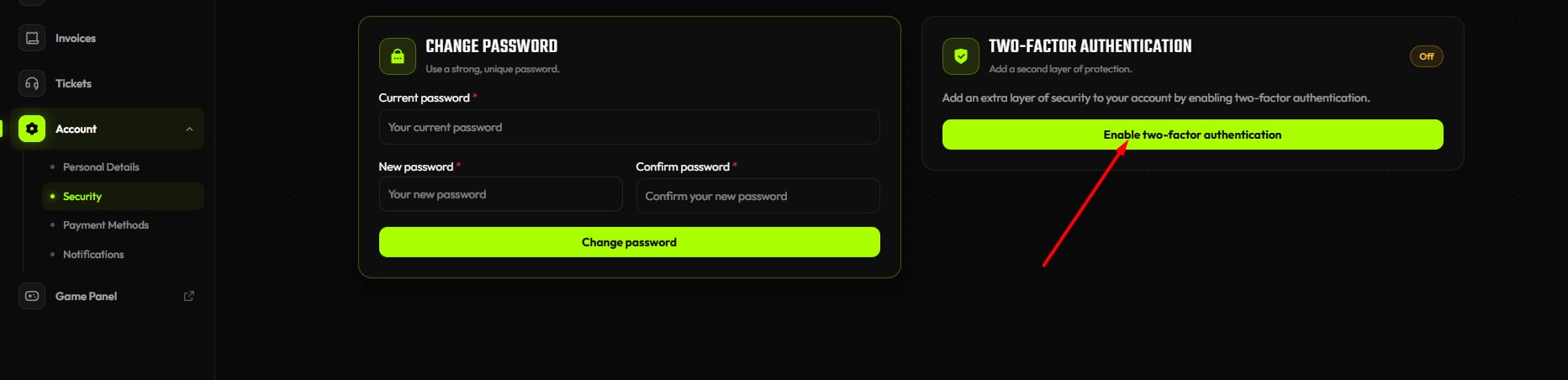
Secure your account with 2FA:- Go to Account → Security Settings.
- Click Enable Two-Factor Authentication.
- Scan the QR code with an authenticator app (Google Authenticator, Authy, etc.).
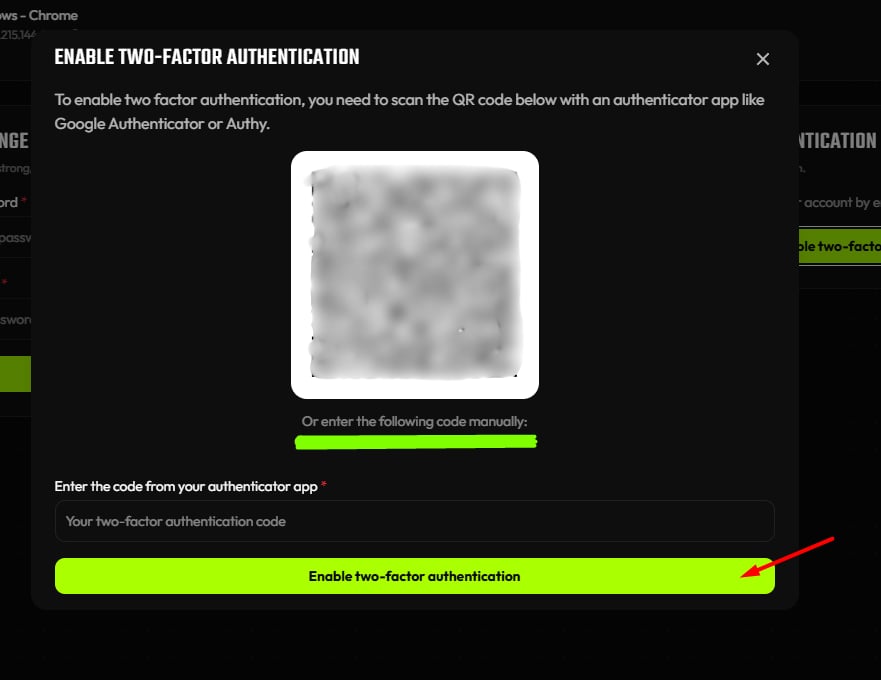
- Enter the 6-digit code to confirm.