

Game Panel Password Reset
If you can’t log in to the game panel, you can reset your panel password directly from the Client Area — no email required.How to Reset
1
Log in to the Client Area
Head to billing.nexiohost.in and sign in to your account.
2
Go to Account → Security
In the left sidebar, click Account, then select Security.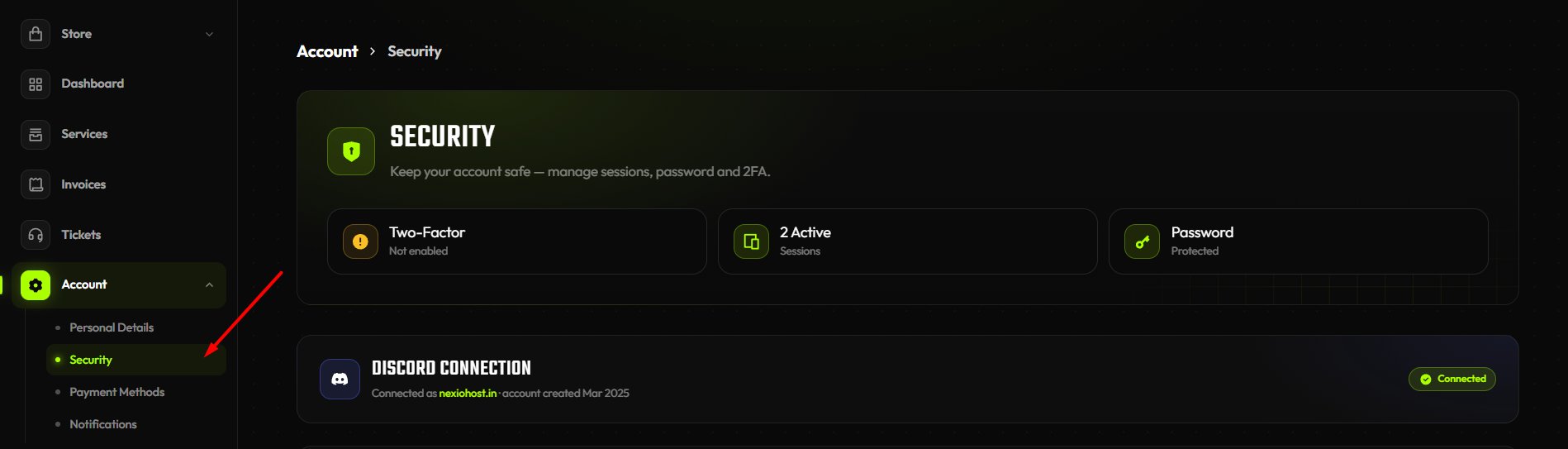
3
Scroll to Game Panel Password
Find the Game Panel Password section at the bottom of the page.
4
Click Reset Panel Password
Click the Reset Panel Password button. A fresh password is set on your panel account instantly.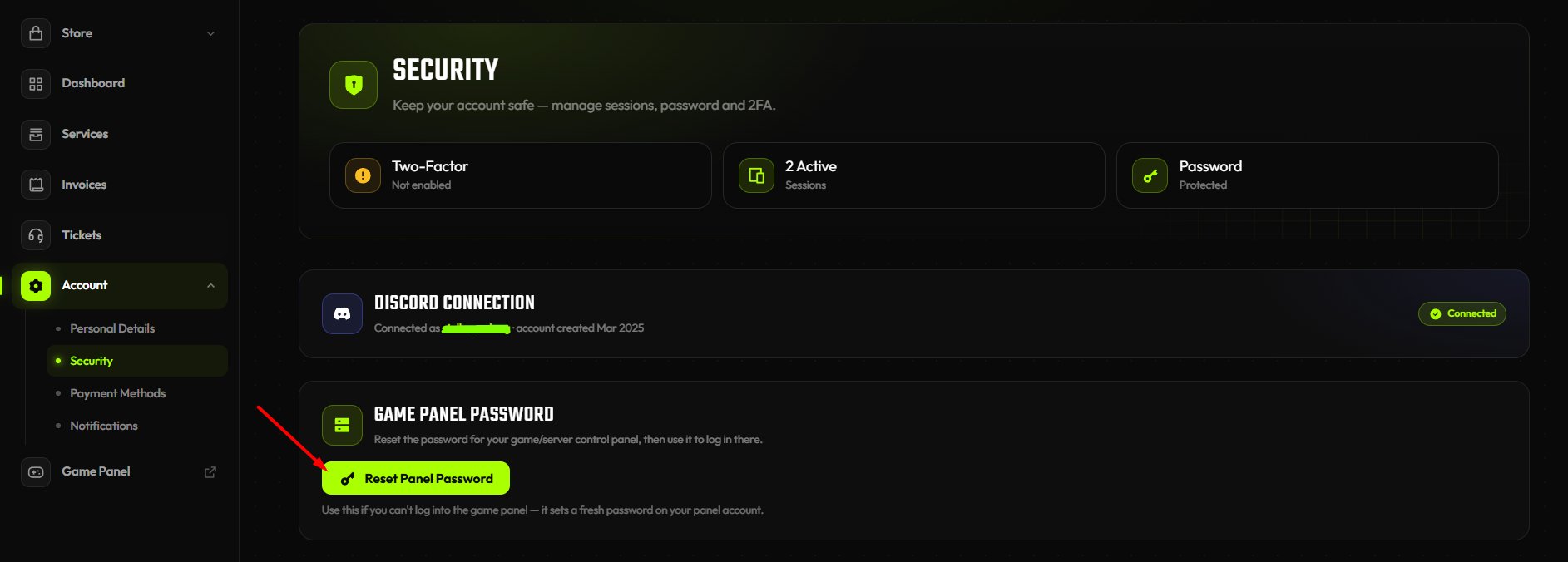
5
Use the new password
Log in to the game panel using your email and the newly generated password.
The reset sets a new password on your panel account immediately. Use it to log in to the game panel right away.
How to Change Your Panel Password
If you’re already logged in to the game panel and want to update your password:1
Open Account settings
In the game panel sidebar, click Account.
2
Fill in the Update Password form
Enter your Current Password, then your New Password, and confirm it in the Confirm New Password field.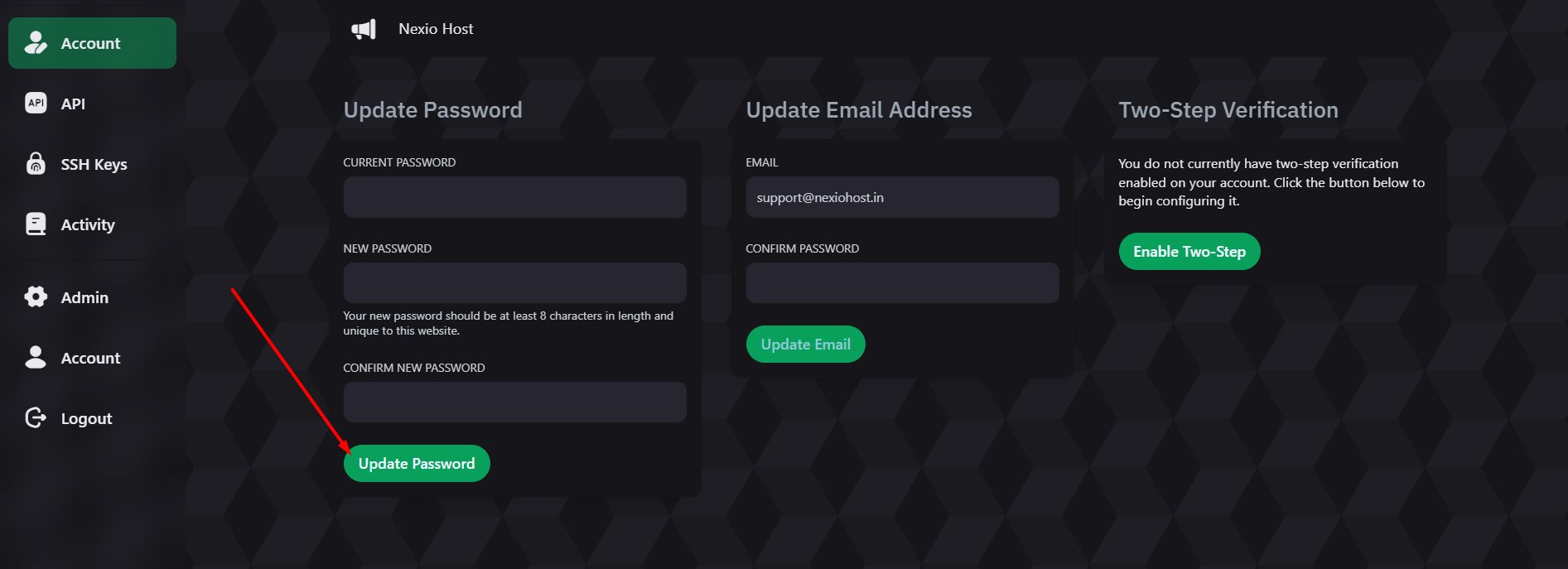
Your new password must be at least 8 characters long and unique to this website.
3
Click Update Password
Hit the Update Password button. Your password is updated immediately.
Still Can’t Access Your Panel?
If you’re still having trouble after resetting, open a support ticket on our Discord.Open a Support Ticket
A team member will help you regain access to your panel.